

Google Ads spends your budget chasing whatever you tell it is a conversion. If that is a page view, it finds people who view pages. If it is any phone call, it finds people who ring, including wrong numbers and sales calls. If it is a booked job, it learns to find people who book jobs. Conversion tracking is not a reporting nicety; it is the steering wheel.
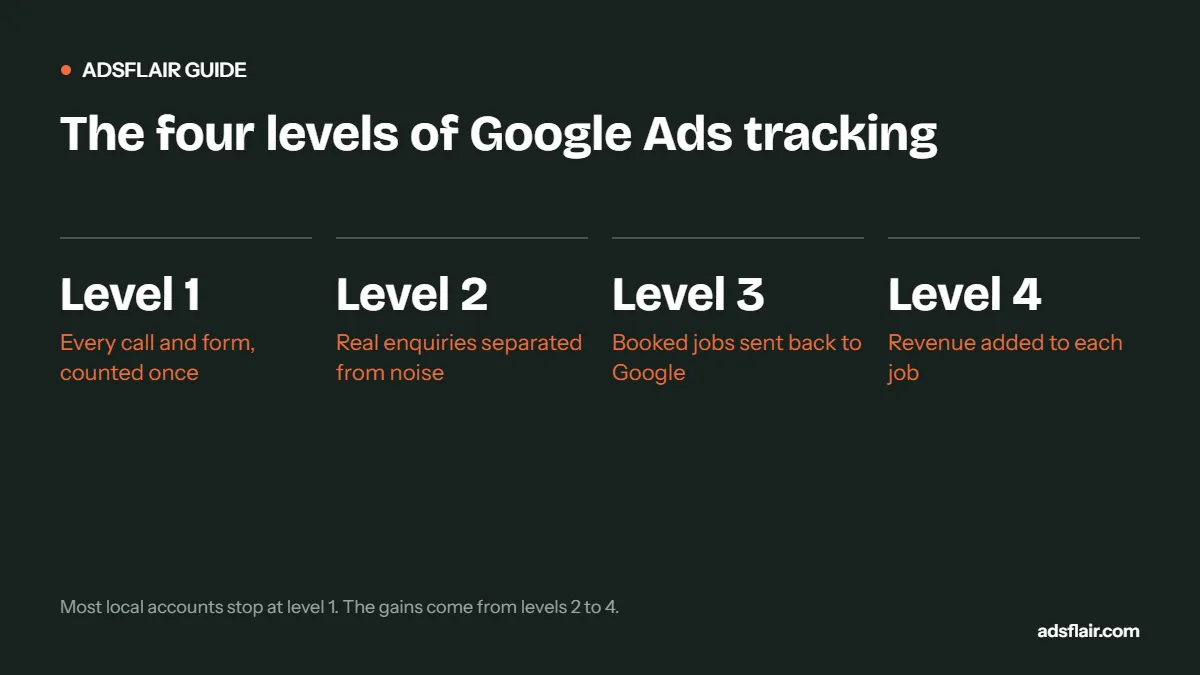
For a local service business, good tracking has four levels. Most accounts we audit stop at the first, and many get even that wrong.
| Level | What you track | What it tells Google |
|---|---|---|
| 1. Enquiries | Calls and form submissions | Find people who make contact |
| 2. Qualified enquiries | Calls over a set length; forms marked genuine | Find people who want work you do |
| 3. Booked jobs | Enquiries that became a booking | Find people who buy |
| 4. Revenue | The value of each job | Find people who buy valuable jobs |
Level 1: track every call and form properly
Calls from ads
Call assets and call-only ads let people ring straight from the search results. Google can record these calls and count them as conversions when they last longer than a minimum length you choose. Without this, your most valuable leads, the urgent ones, never appear in your numbers.
Calls from your website
Many people click the ad, look at your page, then ring. Google's website call conversions swap your number for a Google forwarding number on the page, so calls can be tied back to the click. You need to be able to edit your website to add the tag and the number-swap snippet. Third-party call tracking tools such as CallRail do a similar job and add recordings and caller details.
Form submissions
Fire the conversion only when the form is successfully submitted, typically on a thank-you page or a confirmed submit event in Google Tag Manager. Then test it: submit your own form and check it appears once, not twice.
Common Level 1 mistakes: counting button clicks instead of successful submissions; counting a page view as a lead; website calls not tracked at all; the same form counted by two different tags; GA4-imported and Google Ads-native conversions both set as primary, doubling the numbers.
Level 2: separate real enquiries from noise
In a typical trade account, a meaningful share of calls are not customers: suppliers, recruiters, people looking for a different business, wrong numbers and very short hang-ups.
- Set a call length threshold. Google lets you choose the minimum duration for a call to count. Many local service accounts use 60 seconds; for quick-quote trades 30 to 45 seconds may suit better. Listen to a sample of calls and pick the length where real enquiries start.
- Make only real enquiries primary. In Goals, keep things like "clicked phone number" or "viewed contact page" as secondary, so they are reported but do not steer bidding.
- Qualify forms on the page. Asking for the postcode and the type of job filters out a lot of noise before it is counted.
Level 3: send booked jobs back to Google
This is where tracking starts to change results. Google cannot see your diary, so you tell it which clicks became jobs using offline conversion import.
- Capture the click ID. With auto-tagging on, every ad click carries a GCLID in the URL. Save it in a hidden field on your form, and pass it into your CRM or job management tool with the enquiry.
- Mark outcomes. When an enquiry is quoted or booked, record it against that GCLID.
- Upload regularly. Create an "Import from clicks" conversion action and upload booked jobs. Google's guidance is to upload daily if you can, or on a consistent schedule.
Source: Google Ads Help, Offline conversion imports FAQs.
For phone enquiries without a form, call tracking tools can pass the click ID with the call, or you can use enhanced conversions for leads, which matches hashed email or phone details from your CRM to the original ad interaction.
Level 4: add the money
Once booked jobs are flowing back, add the job value. A £3,500 boiler installation and a £90 tap repair are both "one job", but they are not worth the same to you. With values attached, you can report return on ad spend by campaign and, later, use value-based bidding so Google prioritises searches that lead to larger jobs.
Use a realistic value. If you only know the quote at the time, upload the quote and adjust later; Google allows conversion adjustments for up to 55 days after the conversion was first recorded.
Which conversion actions should be primary?
| Stage of account | Primary conversions | Secondary (report only) |
|---|---|---|
| New, low volume | Calls over threshold, form submissions | Phone number clicks, contact page views |
| Steady volume, CRM in place | Qualified leads or booked jobs (imported) | Raw calls and forms |
| Mature, values tracked | Booked jobs with value | Everything else |
Switch primaries gradually. If you move bidding from "all calls" to "booked jobs" overnight, conversion volume drops and automated bidding can struggle for a few weeks. Run imported jobs as secondary for a month, check the numbers line up, then promote them.
Privacy and consent
Tracking must respect your cookie banner and UK data protection rules. Use a consent banner that lets visitors refuse non-essential cookies, configure Google's consent settings in Tag Manager, and make sure your privacy policy explains call recording and how enquiry data is used. If you upload customer details for enhanced conversions, they are hashed before they are sent, but you still need a lawful basis to use them.
A quick tracking health check
- Submit your own form: does it record exactly one conversion?
- Call from an ad and stay on for two minutes: is it recorded?
- Call from the website: is it recorded and attributed to Google Ads?
- Are any secondary actions accidentally set as primary?
- Does conversion volume in Google Ads roughly match the enquiries you actually received last month?
If the last answer is no, fix tracking before touching bids or budgets. For the next step, read our guide to offline conversion tracking, or see our PPC tracking and reporting service.
Which tools you need
| Tool | What it does | Essential? |
|---|---|---|
| Google Tag Manager | Manages tags without editing site code each time | Strongly recommended |
| Google Ads conversion tag | Records form and website call conversions | Yes |
| GA4 | Wider website analytics; can share conversions with Google Ads | Recommended |
| Call tracking (Google or third party) | Ties calls to clicks and keywords | Yes, for phone-led trades |
| CRM or job management system | Holds lead stages and job values for upload | Needed for Levels 3 and 4 |
A worked example of what changes
A heating company tracks all calls and forms as conversions. Google reports 120 conversions a month at £12.50 each, and the owner feels busy but not profitable. After tracking is fixed:
- Short calls under 60 seconds are excluded: conversions fall to 72.
- Duplicate form tags are removed: conversions fall to 58.
- Booked jobs are imported: 26 a month, worth £21,400 in total.
Cost per conversion now reads £25.86 instead of £12.50. Nothing got worse; the numbers became true. Within two months of bidding towards booked jobs, the account shifted spend from cheap, short-call keywords towards installation searches.
Illustrative example, not a benchmark.
How often to check tracking
- Weekly: glance at conversions against your actual enquiries.
- After any website change: forms, themes and plugins often break tags.
- Monthly: test-submit the form and ring from an ad.
- Quarterly: review which actions are primary and whether to move to deeper conversions.
Frequently asked questions
What should a local service business track as a conversion in Google Ads?
Calls over a minimum length and successful form submissions to start with. Once you have a CRM and steady volume, import qualified leads or booked jobs and make those the primary conversions.
How long should a call be to count as a conversion?
You choose the minimum. Many local service accounts use 60 seconds; quick-quote trades may use 30 to 45. Listen to sample calls to see where real enquiries start.
How do I send booked jobs back to Google Ads?
Capture the GCLID from each ad click in a hidden form field, store it with the enquiry in your CRM, mark booked jobs, then upload them to an "Import from clicks" conversion action. GCLID conversions can be uploaded up to 90 days after the click.
Why do Google Ads conversions not match my real enquiries?
Usually duplicate tags, secondary actions set as primary, short calls counted as leads or website calls not tracked. Test each conversion action yourself and compare totals with your call log.
Related guides
- Offline Conversion Tracking for Google Ads and Meta Ads
- Google Ads Not Generating Leads? 12 Reasons
- Google Ads for Plumbers: Cost per Booked Job
Sources
- Google Ads Help: Track calls to your website (call conversion tracking)
- Google Ads Help: Offline conversion imports FAQs (90-day, 63-day and 55-day windows)
- Google Ads Help: Set up offline conversions using Google Click ID (GCLID)
Not sure your tracking is telling the truth?
Ask for a free Google Ads review. We will test every conversion action, compare it with your real enquiries and show you how to start tracking booked jobs.
Get My Free Google Ads Reviewor book a 30-minute call or message us on WhatsApp