When a Google Ads campaign underperforms, the ads get the blame. Bids are raised, keywords changed, the agency replaced. Sometimes the ads really are the problem. But if your click-through rate is healthy and the search terms are relevant, the leak is probably after the click: a landing page that is not converting the visitors you are paying to send there.
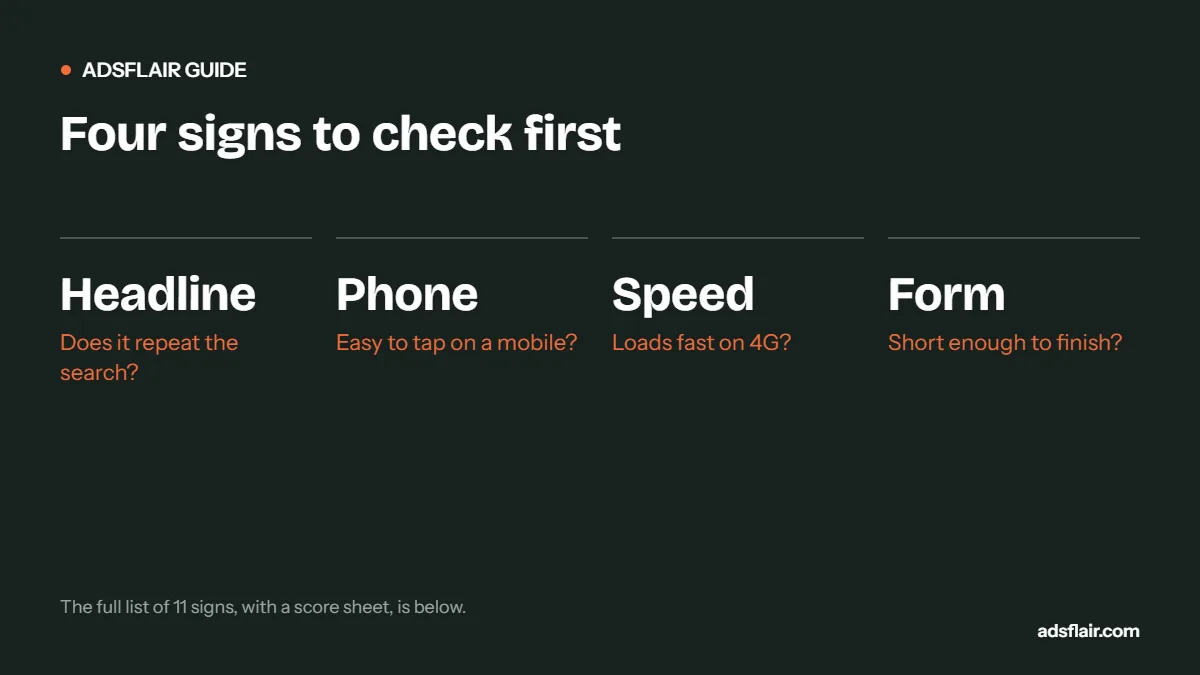
A quick way to tell: if your ads get a good share of clicks but fewer than about 1 in 20 paid visitors get in touch, look at the page first. Unbounce's 2024 benchmark of more than 41,000 landing pages put the median conversion rate at 6.6%. Here are the eleven signs we see most often.
1. The headline does not repeat what they searched
Someone searched "boiler repair Coventry" and landed on "Welcome to Smith & Sons, quality you can trust". They have to work out whether you do boiler repairs and whether you cover Coventry. Many will not bother.
Fix: make the headline name the service and the area. One landing page per main service is enough.
2. The phone number is hard to find on a phone
Unbounce found 83% of the landing page visits it analysed were on mobile. If the number is in the footer, or is plain text rather than a tap-to-call link, you lose urgent callers.
Fix: a tap-to-call button at the top of the mobile page, and a sticky call bar if your site supports it.
3. The page is slow
Google's Core Web Vitals treat a Largest Contentful Paint of 2.5 seconds or less as "good". Many trade sites with big sliders, unoptimised photos and multiple tracking scripts take twice that on 4G.
Fix: test the page in PageSpeed Insights on mobile. Compress images, remove sliders and autoplay video, and drop scripts you no longer use.
4. The form asks for too much
Ten fields, including the house name, a full description and "how did you hear about us", feel like admin. Each extra field loses some people.
Fix: name, phone, postcode and the job type is usually enough for a first enquiry. Ask the rest on the phone.
5. It is written for you, not the customer
Unbounce found pages written at a 5th to 7th grade reading level converted at 11.1%, more than double the 5.3% for pages at a professional reading level. Phrases like "comprehensive bespoke solutions" make a stressed homeowner work harder.
Fix: short sentences, everyday words, and answers to the questions people actually ask: how much, how soon, do you cover my area?
6. There is no proof
Stock photos of smiling men in clean hard hats do not convince anyone. A page with no reviews, no photos of real work and no credentials asks for trust it has not earned.
Fix: real photos of your jobs with the town named, a handful of genuine reviews, and accreditations you actually hold, shown near the top.
7. Too many ways to leave
Full navigation menus, links to every service, social icons and a blog feed give visitors twenty exits and one way to convert.
Fix: keep the logo, phone number and a single call to action. Remove the main menu on paid landing pages.
8. The page promises something different from the ad
The ad says "same-day callouts from £79"; the page says nothing about price or timing. That mismatch feels like a bait and switch and also hurts the landing page experience part of your Quality Score.
Fix: repeat the ad's main promise on the page, in the same words.
9. Nothing tells them what happens next
People hesitate when they do not know what follows: a hard sell, a site visit, a price by email? Uncertainty stops enquiries.
Fix: add a short "what happens next" line near the form: "We call you back within the hour, give a price on the phone and can usually attend the same day."
10. The service area is unclear
If people cannot see whether you cover their town, many will assume you do not, or will enquire and waste both your time if you do not.
Fix: list the towns and postcodes you cover. A simple sentence does the job.
11. Conversions are not tracked properly
Sometimes the page converts fine and the tracking does not. Calls from the website are not tracked, the thank-you page tag is missing, or the conversion fires twice. You then judge the page on the wrong numbers.
Fix: test every route yourself: submit the form, tap the phone number, and check each one is recorded once in Google Ads.
Score your page
| Signs present | What it means |
|---|---|
| 0 to 2 | Page is not your main problem; check ads, search terms and follow-up |
| 3 to 5 | Quick fixes could lift enquiries noticeably |
| 6+ | A dedicated landing page is likely the best investment you can make |
What a fix can be worth
Illustrative example, not a benchmark.
The same budget and the same ads nearly triple the enquiries. That is why we look at the page before we touch the bids. For more detail, read landing page vs homepage for Google Ads, or see our landing page design service.
A one-afternoon landing page audit
- Open the page on your own phone on 4G, not office Wi-Fi. Time how long until you can see the headline and phone number.
- Read only the first screen. Can you tell what you do, where, and how to get in touch?
- Tap the phone number. Does it dial?
- Fill in the form. Count the fields. Does it confirm what happens next?
- Check the conversion in Google Ads a few hours later. Was it recorded once?
- Run PageSpeed Insights on mobile and note the Largest Contentful Paint.
- Compare with two competitors who appear for the same search. Whose page would you call?
Quick wins versus rebuilds
| Quick wins (hours) | Bigger jobs (days) |
|---|---|
| Rewrite the headline to match the service and area | Build separate pages for each main service |
| Add a tap-to-call button at the top | Rebuild a slow site on a lighter template |
| Cut the form to four fields | Collect and photograph real project work |
| Add three genuine reviews near the top | Set up call tracking and conversion testing properly |
| Add a "what happens next" line | Remove the main menu and redesign the page flow |
Start with the quick wins and measure for two to four weeks. If conversion rate barely moves, the bigger jobs are likely needed.
When the page is fine and the ads are not
If the page passes most of these checks and still converts poorly, look upstream: the search terms may be wrong, the location settings too wide, or the ads may be promising something the page does not deliver. Our guide to 12 reasons Google Ads stops generating leads covers those.
Frequently asked questions
How do I know if my landing page is the problem?
If your ads get a healthy click-through rate and relevant search terms, but fewer than about 1 in 20 paid visitors enquire, the page is the likely leak. Unbounce’s 2024 median landing page conversion rate was 6.6%.
How fast should a landing page load?
Google’s Core Web Vitals treat a Largest Contentful Paint of 2.5 seconds or less as good. Test on mobile with PageSpeed Insights.
How many fields should a lead form have?
For most trades, four: name, phone, postcode and job type. Ask everything else on the call.
Does my landing page affect my Google Ads costs?
Yes. Landing page experience is one of the three components of Quality Score, which influences ad position and what you pay.
Related guides
- Google Ads Landing Page vs Homepage
- Google Ads Not Generating Leads? 12 Reasons
- Google Ads Conversion Tracking for Local Service Businesses
Sources
- Unbounce, Conversion Benchmark Report 2024
- web.dev, Largest Contentful Paint (LCP) thresholds
- Google Ads Help: About Quality Score for Search campaigns
Want a second pair of eyes on your landing page?
Ask for a free Google Ads review. We will test your page on mobile, check tracking and show you the changes most likely to lift enquiries.
Get My Free Google Ads Reviewor book a 30-minute call or message us on WhatsApp