
Plenty of business owners have a quiet suspicion about their Google Ads agency. The monthly report arrives, the numbers look busy, the invoice gets paid, and yet the phone does not ring any more than it did before. It is an awkward feeling to act on, because Google Ads is technical and it is hard to know what good looks like.
This guide gives you nine checks you can run yourself, most of them in under ten minutes. None of them requires you to understand bidding strategies. They are the signs we see most often when we audit accounts that are being managed in name only.
First, know what Google requires of agencies
Google has a published policy for third-party partners, including agencies that manage Google Ads for clients. Among other things it says that:
- where monthly reporting applies, reports must include costs, clicks and impressions at the account level;
- agencies must report the exact amount charged by Google, separate from their own fees;
- if the agency charges a separate management fee, it must tell you in writing before the first sale and show the fee on invoices;
- agencies must give you your Google Ads customer ID if you ask for it.
Those are minimums. A good agency goes well beyond them. But if yours will not meet even these, you have your answer.
Sign 1: You do not own or cannot see the account
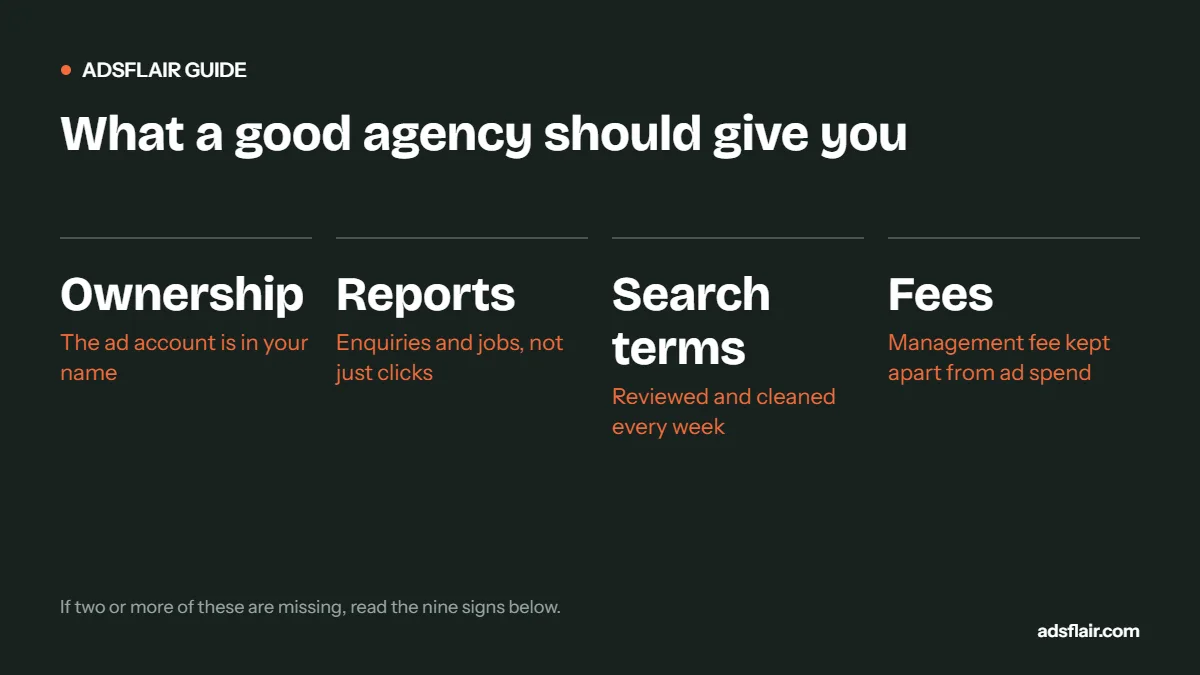
Ask a simple question: "Can I have admin access to our Google Ads account?" The right answer is "Of course", ideally because the account was created under your business email in the first place.
Some agencies run clients inside their own accounts. When you leave, the account, its history and everything it learned stay with them, and you start from zero. That history is valuable: years of search terms, conversion data and negative keywords.
What good looks like: the account belongs to your business, you have admin access, and the agency is linked through its manager account.
Sign 2: Reports show clicks and impressions, not enquiries and jobs
Impressions and click-through rate are useful diagnostics. They are not results. If your monthly report leads with "impressions up 23%" and never mentions calls, forms, cost per lead or booked jobs, the agency is reporting on what it controls rather than what you care about.
What good looks like: a report that starts with enquiries, cost per enquiry and, where your data allows, cost per booked job, by campaign, and explains what changed and why.
Sign 3: Conversion tracking is wrong, and nobody has noticed
Compare the conversions in Google Ads last month with the real enquiries you received. If Google says 80 and you remember 25, something is being counted that should not be: page views, button clicks, duplicate forms or 5-second calls.
This matters more than it sounds, because automated bidding chases whatever is counted. Wrong tracking means the agency's main tool is pointing the budget in the wrong direction.
What good looks like: conversions roughly match your call log and inbox, short calls are excluded, and only genuine enquiries are primary conversions.
Sign 4: The search terms report is full of rubbish
In Google Ads, open Campaigns, then Insights and reports, then Search terms, for the last 30 days. Sort by cost. If you see job searches, DIY questions, competitor brand names you never asked to target, or places you do not cover, nobody has been adding negative keywords.
What good looks like: mostly searches you would happily pay for, and a negative keyword list that grows every week or two.
Sign 5: Nothing in the change history
Google Ads keeps a change history of every edit and who made it. Look at the last 60 days. If you see a handful of changes, or only automated recommendations being accepted, the account is not being actively managed.
Volume of changes is not the goal. But a managed account shows a pattern: negatives added, ads tested, bids or budgets adjusted with a reason, landing pages changed.
Sign 6: Every recommendation gets auto-applied
Google's recommendations tab suggests changes such as raising budgets, adding broad match keywords or switching bidding strategies. Some are useful; many are designed to increase spend. Auto-applying them all is a common shortcut in under-resourced agencies.
Check: under Recommendations, look at auto-apply settings. If broad match, budget increases and new keywords are set to apply automatically, ask why.
Sign 7: The fee is unclear or bundled with ad spend
If your invoice shows one figure for "Google Ads" and you cannot tell how much went to Google and how much to the agency, that is a problem in itself, and Google's partner policy requires fees to be disclosed. A common hidden arrangement is a margin taken from the ad budget: you pay £1,500, Google receives £1,100.
Check: in Google Ads, under Billing, look at what Google actually charged last month and compare it with what you paid.
Sign 8: Everything runs to the homepage, in one campaign
One campaign with all your services, sending every click to the homepage, is a set-up-and-forget structure. It makes it impossible to see which services are profitable and usually converts poorly.
What good looks like: campaigns split by service or job type, each with a landing page that matches it.
Sign 9: You never hear from them unless you chase
Communication is not a soft issue. An agency that proactively tells you "emergency calls doubled in cost this week, we lowered the bid cap" is managing. One that answers questions with "the algorithm is still learning" for six months is not.
How to score your agency
| Signs present | What it usually means | Next step |
|---|---|---|
| 0 to 2 | Normal friction | Raise the specific issues and agree changes |
| 3 to 5 | Under-managed account | Ask for a written plan and a 60-day review |
| 6+ | Managed in name only | Get an independent audit and plan an exit |
How to leave without losing your data
- Secure access first. Make sure your business email has admin access to Google Ads, Google Analytics, Tag Manager and your website before you give notice.
- Check your contract. Notice periods, who owns landing pages and call tracking numbers, and whether there are exit fees.
- Export what matters. Search terms, negative keyword lists, conversion settings and the change history.
- Keep the account running during the handover. Pausing everything resets learning and loses leads.
- Move call tracking numbers if possible, so numbers printed on vans and in directories keep working.
Before you fire them: is it the agency or the business?
Be fair to the agency. If calls go to voicemail, quotes take a week or nobody follows up web forms, the best Google Ads account in the world will look like it does not work. Check your own side: how quickly enquiries are answered, how many are followed up, and whether prices or service areas have changed. Then judge the agency on what it controls.
If you want a second opinion, we offer a free, no-obligation review of your account. See Google Ads consultancy, or read 12 reasons Google Ads stops generating leads.
Frequently asked questions
How do I know if my PPC agency is doing a good job?
Check that you own the account, conversions match your real enquiries, the search terms report is clean, the change history shows regular work and reports lead with enquiries and cost per lead rather than impressions.
Should I own my Google Ads account or the agency?
You should. The account and its history belong to your business. Agencies should be linked through their manager account, and Google requires them to give you your customer ID on request.
What must a Google Ads agency report to me?
Under Google’s third-party partner policy, where monthly reporting applies it must include costs, clicks and impressions at account level, show Google’s exact charges separately from fees, and disclose any management fee.
How do I switch PPC agencies without losing results?
Secure admin access to all accounts first, export search terms and negative keyword lists, keep campaigns running during the handover and move call tracking numbers if you can.
Related guides
- Google Ads Not Generating Leads? 12 Reasons
- Google Ads Conversion Tracking for Local Service Businesses
- How Much Should a UK Local Business Spend on Google Ads?
Sources
Want an independent look at your account?
Ask for a free Google Ads review. We will check ownership, tracking, search terms, change history and fees, and give you a straight answer, whether or not you work with us. You can also see how we run PPC management services.
Get My Free Google Ads Reviewor book a 30-minute call or message us on WhatsApp